A Man from the Mountains

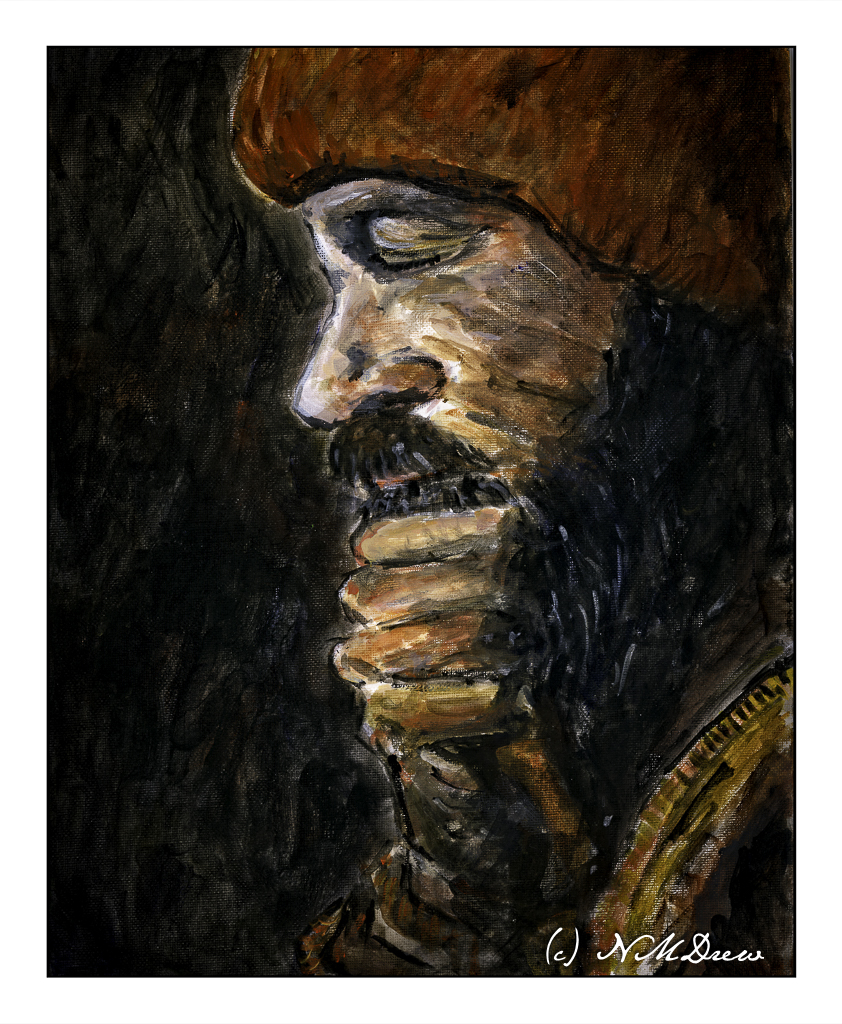
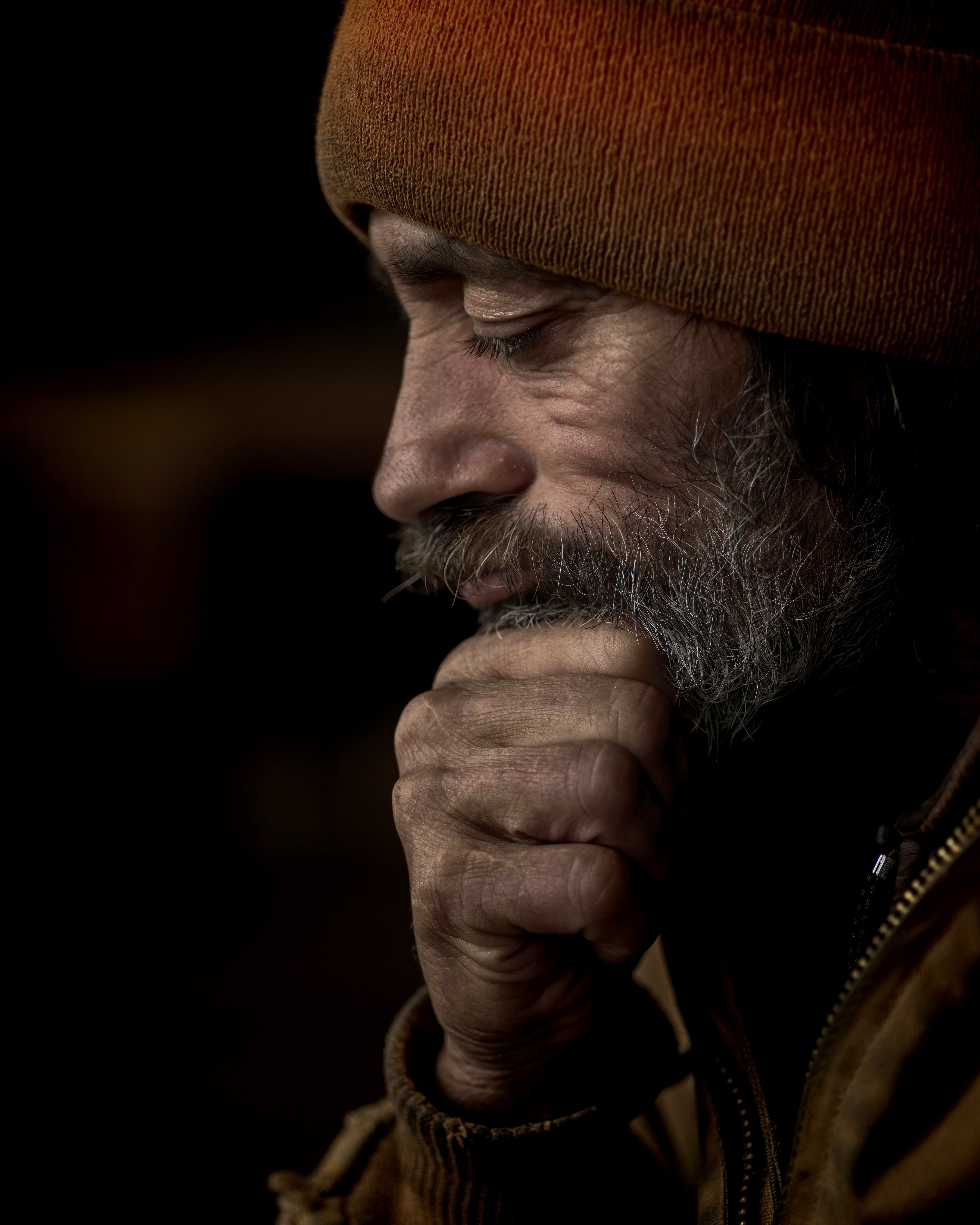
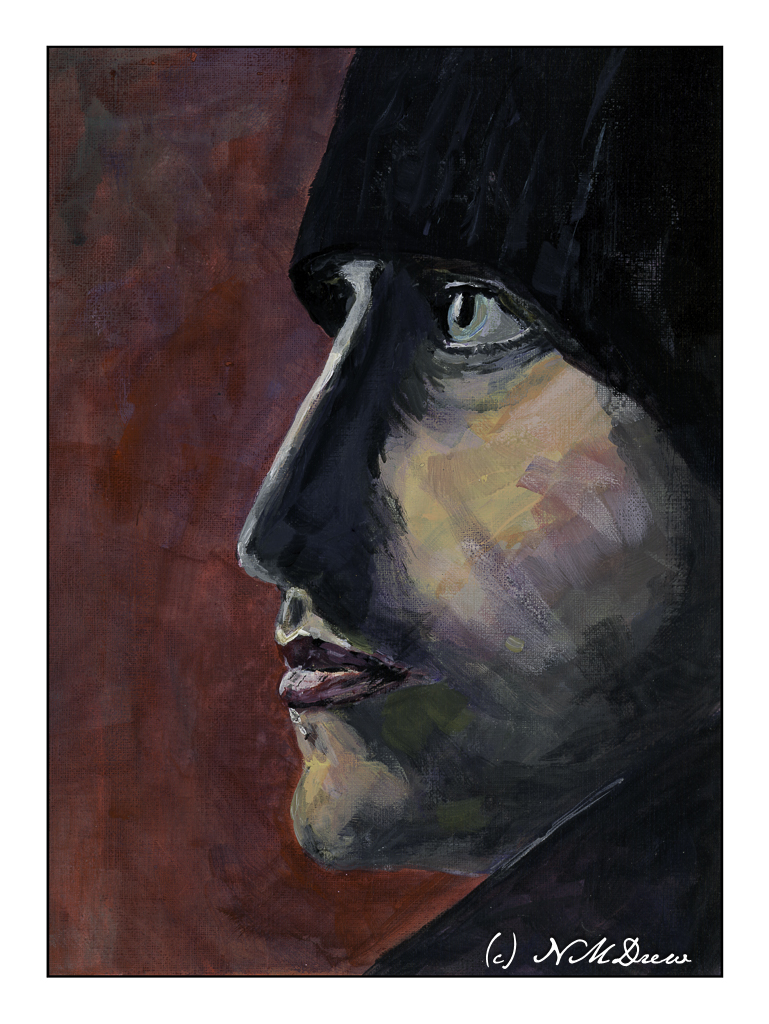
In between life and knitting disasters and housecleaning and purge-atory (I got rid of a lot of junk last week), I have been painting a portrait in acrylic over the last few sessions of my figure painting class. I used one of the many wonderful portraits available from Pixabay.

Painting this portrait was a challenge. I did not want to do a photographic reproduction. My idea was something moody and a bit sketchy, more so as I think such a style is more easily done in acrylics (which I swore to work on!) than a realistic rendition of the person himself. I painted using more transparent paint and scumbled a lot of the paint onto the canvas. Some areas don’t even have paint on the surface, or very little. Layers and glazes were built up. The quick drying quality of acrylics makes this easy to do in a classroom.

My palette was pretty limited, too. I used carbon black, ultramarine blue, raw umber, cadmium red light, titanium white, and yellow ochre. First step was to sketch in the man, working on proportions and then mixing general areas of color, slowly moving into details. I stepped back and forth to look at my painting.

What really attracted me to this portrait was the lighting, the expressiveness and rather mysterious quality of the man – he could be from so many places. My first impressions is he is a man from a remote part of the world, a man who works hard and labors with his hands to provide for those he is responsible. I wanted to catch this quality – a rugged ability to endure.

I think I will hang this on my wall to enjoy. Yeah, pretty pleased! That is after I correct the mistake under the man’s mustache . . .

Heavy body acrylic paint, cotton canvas panel, 11×14.

Profile of a Man

One of the painting classes I am taking is one on portraits. The teacher, Barbara, does beautiful work in oils. She is detailed, observant, laissez-faire, and is getting me into enjoying painting portraits of people. For me, I like people I don’t know. Personal portraits are too personal, and while I have done some decent pencil drawings, paint is another story altogether.

If you like free, public domain images of all sorts, check out Pixabay. It’s free and I use it over and over again. For portraits and figures, as well as anything else you might want including “adult” matter (i.e.nudes), you can find it. Many of my art teachers like my photos I use in painting class, and unless I have taken them, most come from this resource.

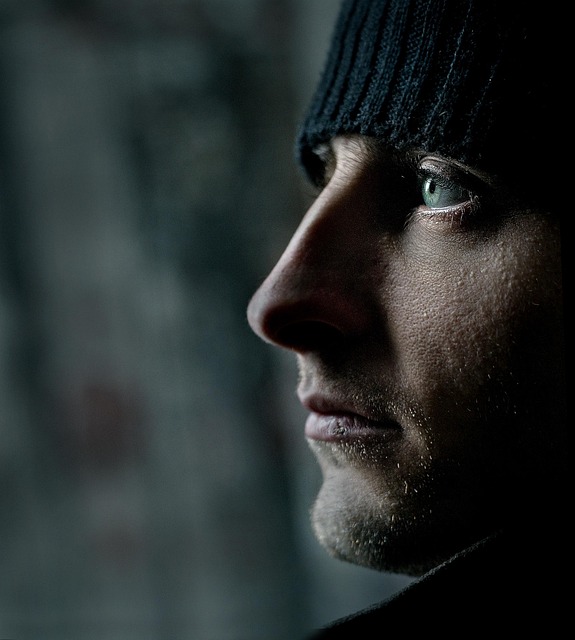
I am giving myself an exercise to paint portraits. How many, no idea. Different positions are certainly ones to study – profile, 3/4, frontal, looking up or down, etc. I also intend to do bodies, working on action and movement, but that is for another time. Today’s post is my painting of the model above.

What drew me to this portrait was its simplicity. Profiles are a good place to begin. The strong light and contrast in this portrait makes things not too subtle, which I think is a good place to begin for a portrait. Below is my painting.

My chosen medium is fluid acrylics, which are about the consistency of heavy cream. In the beginning, I laid in the background with thinned paint, and the same for the general features of the face. As I progressed, I increased the paint’s density by not thinning it, but as time progressed I varied its thickness depending on the opacity I wanted.

Besides rendering good values, I also wanted to focus on brushwork. I have said many times I tend to be a dabber, using a round pointed brush. I set that aside and worked in flats ranging in size from 1/4 inch to about an inch. One of these flats is also an angle brush. For tiny details I did use a fine round.

Altogether, this was painted over 3 days, using time to let the paint dry (or a hair dryer) and take time to step away from the painting. That way I could review what was done and think about changes. In the end, I am pleased with this painting quite a bit.

Fluid acrylic paint, Canson XL oil paint / acrylic paper, 9×12, finished size 8×11.

Time to Learn, and a Tornado in Malibu!

Software updates and new versions come out on a regular basis. If you are diligent, you learn the newer versions and discard the old by uninstalling them. Sometimes the newer versions have features added and older ones removed for this reason or that. Usually I just install things and play. Today I decided it was time to really get my proverbial s*** together with regards to Lightroom Classic CC and On1 Photo Raw 2023.

In Lightroom up to the 2021 version of Photo Raw I could use the different modules of On1’s software individually. After that, no. I decided to get into the 2023 release of Photo Raw and figure it out. The first thing I did was to import a bazillion of presets into Photo Raw 2023. That took easily a few hours. Each preset group had to be imported individually. Argh! Why batch imports cannot be done, I have no idea – may be it can be, but I have no idea how!!

Anyway, done with preset importing, I started trying to figure out how I could get the best usage out of my LR and Photo Raw 2023 to edit by exporting an image from LR to Photo Raw. I found a great video, for Photo Raw 2022, not with the individual modules as before, but it works.

If you have struggled with LR and On1, this presents a viable option. It is not as good as the individual modules of the 2021 and earlier versions of Photo Raw, but it works. There are ways to batch edit in both LR and On1, and I do need to learn those as well.

While I was playing with On1 Photo Raw 2023, I started exploring the sky replacement element. It is really fun! Of course, you need to have some sense of matching the sky with the photo or it can look odd, but there are some adjustments it seems that you can make while importing a sky into a photo – ones that adjust the foreground for instance. If you have water, you can put in a reflection. You can also expand and shrink your new sky to a degree, as well as move the horizon and so on. Again, more study is needed.

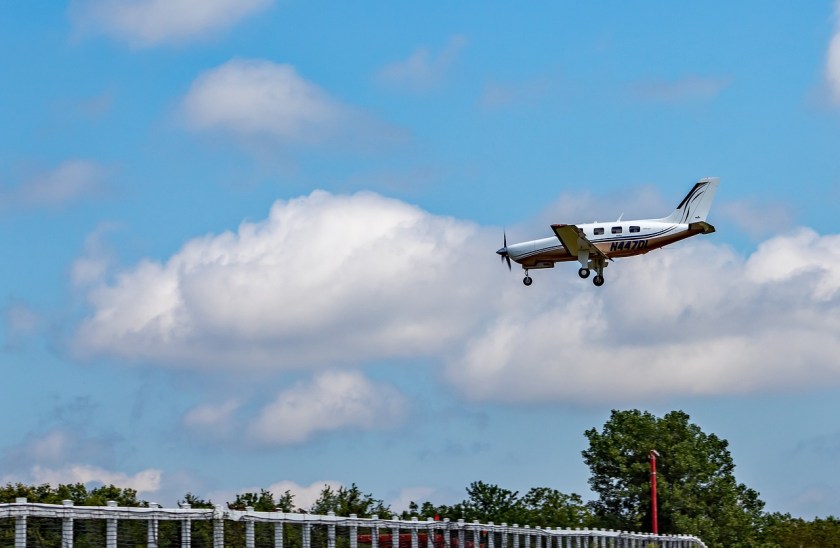
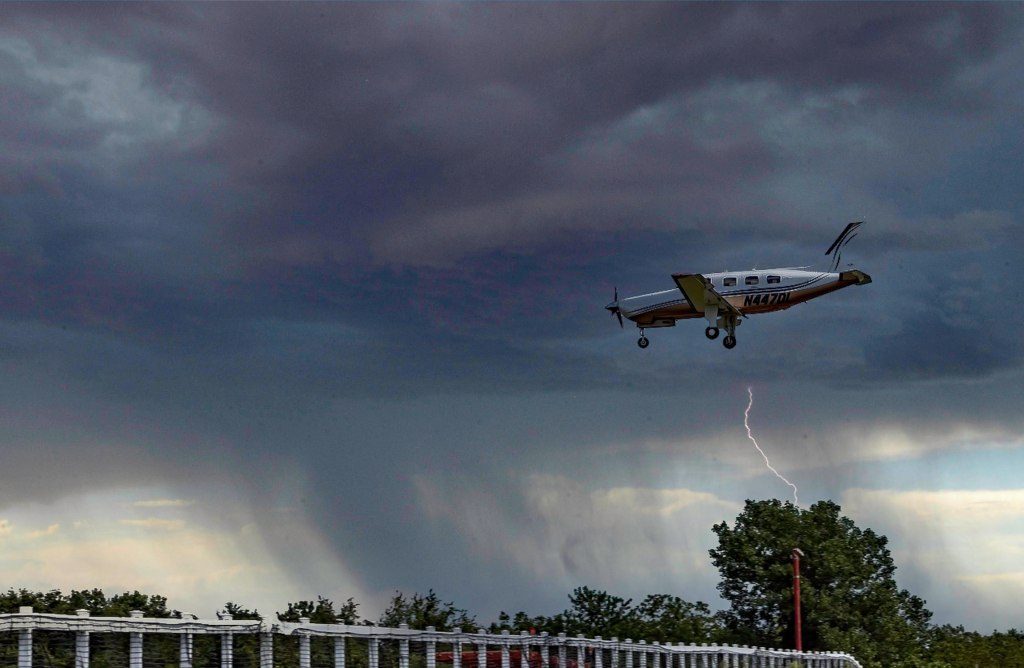
And here is just one of the pictures I played with. Below is one with an original sky – I downloaded it from Pixabay, a website with a lot of free photos for use. Per the description, this is taken in Malibu, CA. Those clouds are not common here – winter storms are usually when we see them.

And here it is with a tornado and rain – not something you are likely to see here in California unless the world really changes!

And that is how I spent today – updating photo software, playing around, and trying to join the 21st century with AI and photography. I like the sky thingy – has potential.

And now – dinner and a walk and something other than computers . . .

Portrait of a Little Girl

Over the last year or two I have been doing pencil drawing with an amazing instructor, Steve Tanaka. He used to teach at our local adult school, but with the pandemic and virtual classes, he decided to try out meeting in the park behind our local library. A small group of us meet at a moment’s notice – well, a week or two’s notice! – on Wednesday morning, weather permitting. The primary purpose of the class is portraiture in pencil, but I have wandered at times to cat faces and trees, others have done horses or owls, but we draw. The doing is the point, and Steve’s tutelage is subtle, available, encouraging. He has a sharp eye and a lot of experience. He is a fine teacher.

This is a drawing of a portrait of a poor girl in India by a talented Pixabay photographer Aamir Mohd Khan. His portraits have a drama of a place I have never seen and are both fascinating and touching. His portrait is below.

I cropped the portrait to focus on the little girl whose face is so haunting. I wonder what her life is now – I don’t think it is easy at all.

My own drawing is done with pencil – graphite – using HB, 2H, 2B and 4B pencils on bristol paper, 9×12. There is still some work to be done, but I felt a need to post it. I have spent about 5 hours on it altogether.