Time to Learn, and a Tornado in Malibu!

Software updates and new versions come out on a regular basis. If you are diligent, you learn the newer versions and discard the old by uninstalling them. Sometimes the newer versions have features added and older ones removed for this reason or that. Usually I just install things and play. Today I decided it was time to really get my proverbial s*** together with regards to Lightroom Classic CC and On1 Photo Raw 2023.

In Lightroom up to the 2021 version of Photo Raw I could use the different modules of On1’s software individually. After that, no. I decided to get into the 2023 release of Photo Raw and figure it out. The first thing I did was to import a bazillion of presets into Photo Raw 2023. That took easily a few hours. Each preset group had to be imported individually. Argh! Why batch imports cannot be done, I have no idea – may be it can be, but I have no idea how!!

Anyway, done with preset importing, I started trying to figure out how I could get the best usage out of my LR and Photo Raw 2023 to edit by exporting an image from LR to Photo Raw. I found a great video, for Photo Raw 2022, not with the individual modules as before, but it works.

If you have struggled with LR and On1, this presents a viable option. It is not as good as the individual modules of the 2021 and earlier versions of Photo Raw, but it works. There are ways to batch edit in both LR and On1, and I do need to learn those as well.

While I was playing with On1 Photo Raw 2023, I started exploring the sky replacement element. It is really fun! Of course, you need to have some sense of matching the sky with the photo or it can look odd, but there are some adjustments it seems that you can make while importing a sky into a photo – ones that adjust the foreground for instance. If you have water, you can put in a reflection. You can also expand and shrink your new sky to a degree, as well as move the horizon and so on. Again, more study is needed.

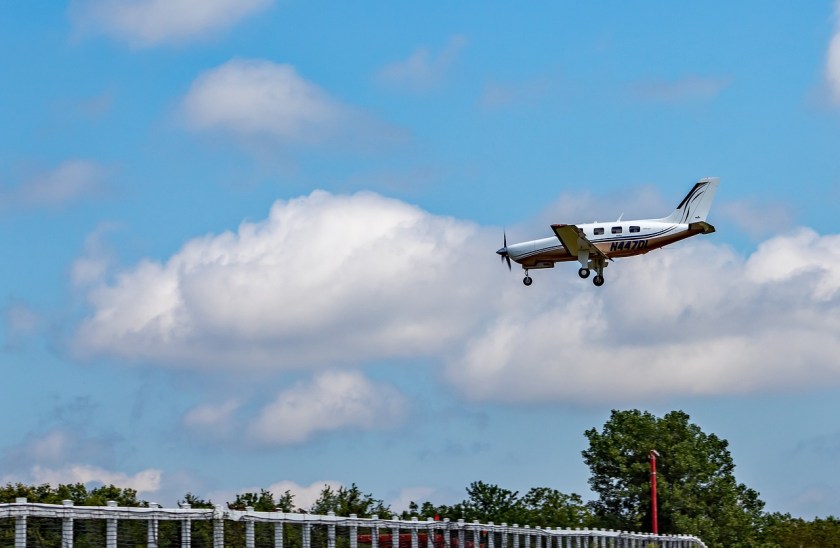
And here is just one of the pictures I played with. Below is one with an original sky – I downloaded it from Pixabay, a website with a lot of free photos for use. Per the description, this is taken in Malibu, CA. Those clouds are not common here – winter storms are usually when we see them.
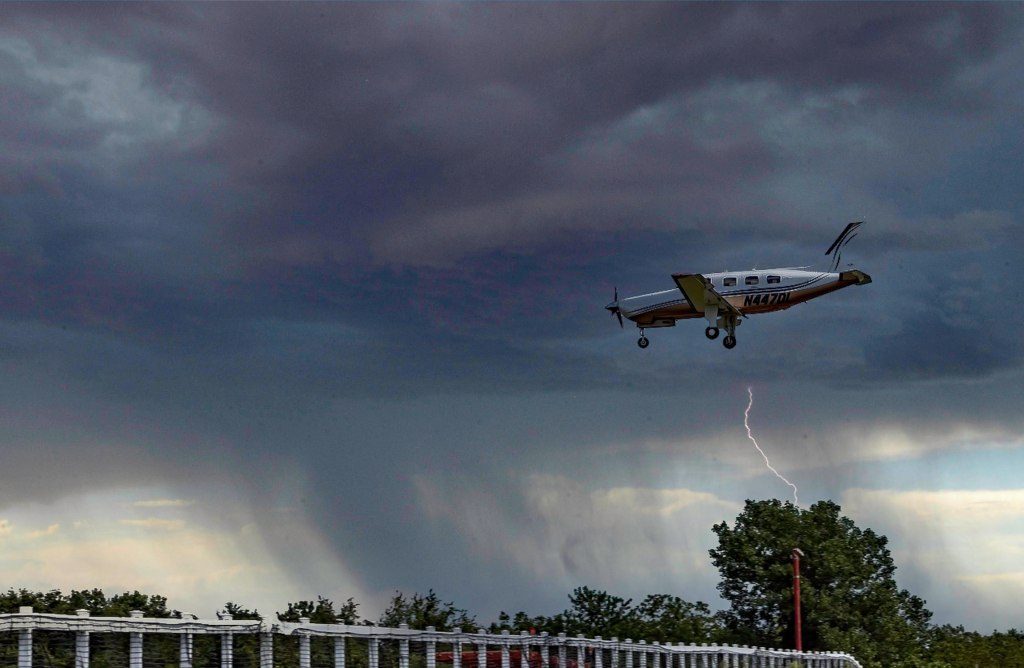
And here it is with a tornado and rain – not something you are likely to see here in California unless the world really changes!
And that is how I spent today – updating photo software, playing around, and trying to join the 21st century with AI and photography. I like the sky thingy – has potential.

And now – dinner and a walk and something other than computers . . .
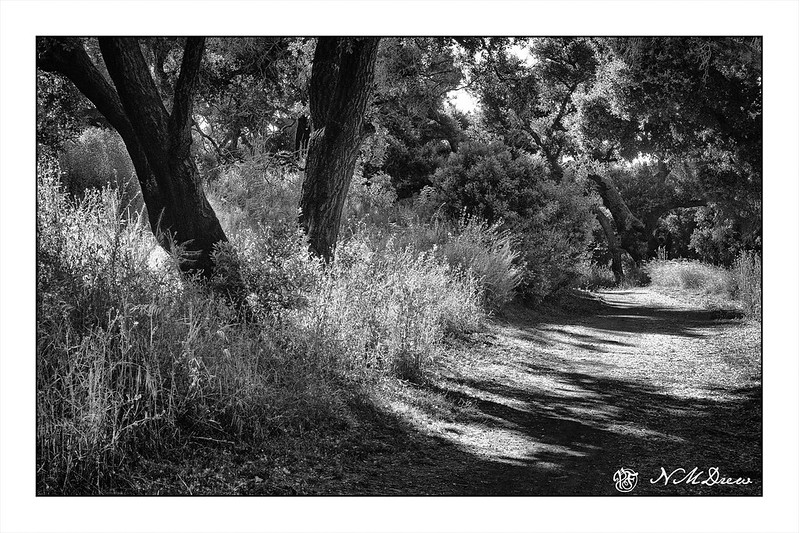
Late Afternoon

Along the Chumash Trail

Yesterday afternoon I did a lot of sewing and running around to the point I so tired of the house and machines and tasks that the best thing to do was run away.

I do that a lot.

At about 5 p.m. I decided to snag the Canon G7X Mark II as all I wanted was a point and shoot and a brisk hike along a trail with trees and rocks and bugs and poison oak. It was perfect! The hills beyond the little canyon where the trail is were still covered with golds and lavender from this past winter’s rain, and alongside the trail was a profusion of mustard, monkey flower, salvia, penstemon, sunflowers and a number of flowers I don’t know. For two hours I ran around, ignoring my wifely duties of dinner (we had leftovers, so J. was fine!) and getting my mind elsewhere.

Too easy to forget about the natural world when the unnatural one demands so much time. The shade, light, sun, shadows, were not simple to get in a photo, and the colors just got burnt out in the glare or lost in the dark. In the end, a black and white with lots of subtlety seemed the best way to express the beauty of the hike.

In the Alabama Hills #1

A decidedly more fussy painting than I usually do, but is also a fairly chromatic painting. The primary colors are yellowish greens and grays. More color planes with a few more details.

In a lot of ways this was a more “serious” painting than my trees of yesterday. I plotted more. I did a sketch, a value study, and carefully placed my lines and considered the composition. Steps were thought out on how to approach the painting process itself since there is a lot of plain, white paper left in varying spots.

First step was to lay down a light wash of a neutral color, painting around the white areas at the tops of the plants and a few areas of the rocks. Then, light colors of the plants were added to remind me where they were. In general, I worked light to dark – standard watercolor – but then more intuitively I moved into dark areas while other areas were still covered with the first wash. I needed to establish values and found this worked out fairly well.

Another thing I took into consideration was the paper. This is the 100% cotton student paper I have, and I know it cannot handle a lot of water. Consequently, my washes were not wet and sopping. The light washes I applied were watery, but before picking up the watery wash from the palette, I squeezed or blotted the extra water from the brush, picked up the wash, and then applied it to the paper. It worked as the paper did not get really wet.

The rocks were hard to do. Part of me wanted to be fussy and detailed – hence the dots on the rocks and boulders closer to the viewer – and other parts just wanted to use planes and strokes of color to express their dimensionality. That is something I will try on another version of this painting and on paper that can handle a lot of water.

So, the planes of color continue, even in a more complex painting. I rather like this one as the backlit plants are so pretty, whether painted or in real life, and the pathway itself is alluring. Nothing like a hike in the desert . . .