
If you have been reading this blog awhile, you know I live where there is fire and not snow. Still, winter does come to my warm (ish) part of the world, and with it memories of tromping through the snow under spreading trees along a lake shore.
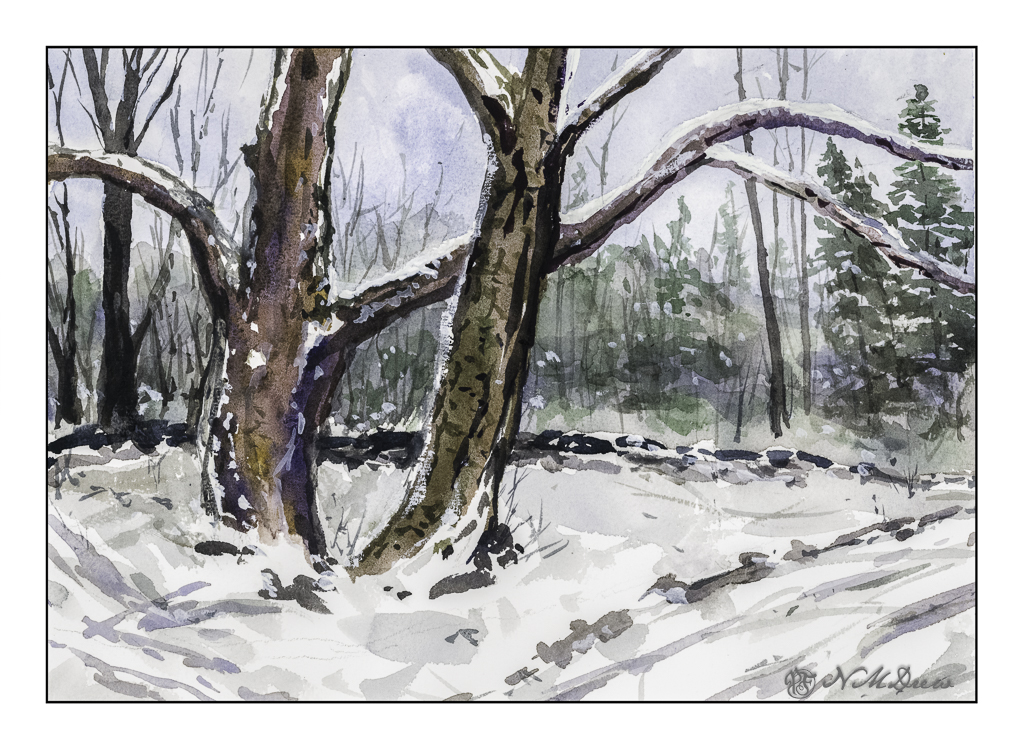
I use two software programs these days to scan my paintings – and I rather like the way they end up, similar but different. Above is the one using VueScan. Below is the one using Epson V600 and its software.
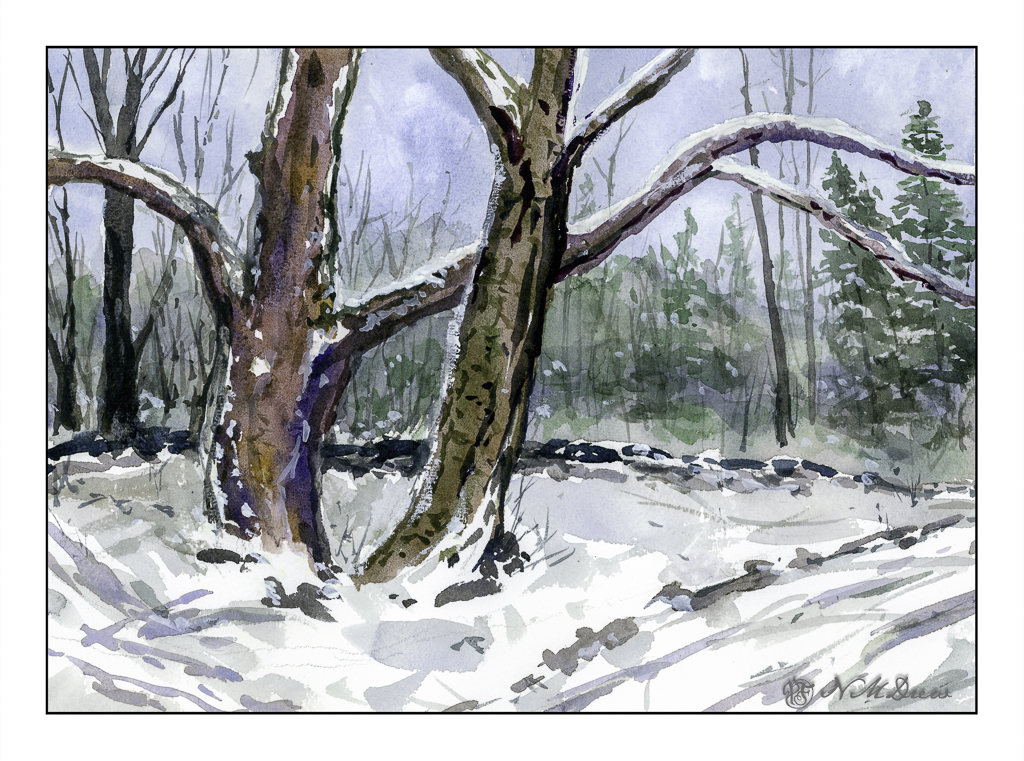
Epson software is more inclined to push colors, but in this case it does a decent job and pulls out more of the colors I put into the tree. Both scans are pretty much straight out of the scanner. Your choice as to preference!
Watercolor, Arches Rough 140#. Colors primarily burnt umber, ultramarine blue, Hooker’s green. 10×14.
 Ink, Yarn & Beer
Looks cold! Job done 🙂
Do you not adjust your scan results to try and match the colors your eyes see?
It depends on the scan. For instance, one was dark. I lightened with exposure and thought the results were okay. Too much adjustment makes things not quite right. The Epson scans sometimes are brighter, and in this case were quite close to the original. In other situations it seems certain colors – pigments possibly – can become almost black even if they are not. What we see on the monitor will vary and even when I have calibrated my monitors the results can vary with the original painting. My eyesight varies, too, and that also affects what I see. Some days my vision is far worse than other days.
Thanks, Fraggy!!
For my un-artistic eye, I like the first one better. The Epson seems to flatten the image.
In my inexperienced and non-professional opinion, I like the Epson picture a bit more because of the greater detail of color and contrast within colors. But both are gorgeous!
The blues and greens are sharper with Epson, also.
And I love Arches Rough paper! I’ve used it in the past when making cards for friends.
Okay, just wondering what other people do. I don’t scan my work, but photograph it with a Canon point and shoot. After I open the jpg in my computer’s photo software, I will brighten and intensify the display to try and match what I see in my work while it’s in a natural daylight setting. Maybe one day I will use the scanner more.
Laura Kate, I have found that taking photos requires a lot of work for me, such as making sure the camera is perpendicular to the work. I can adjust it in LR but find it annoying. As well, the scanner seems to reproduce the colors better overall. I have both Canon and Nikon cameras, and the Canon produces less intense colors than the Nikon, but neither is accurate. The same for the scanner as well as software. I find the scanner works in most cases, and even pieces larger than the scanner bed work as I stitch them together as you would a panoramic photo, in LR, or in PS, as well as Microsoft ICE, which works when neither program wants to cooperate!
I think, Anne, it is because the colors in the background are more muted than the Epson scan. When the colors are brighter they move forward. Good observation!!
Thanks for explaining what I’m seeing!
Hey! Anne! I’m your friendly optometrist!!
😊😍😂
Ok. Thanks for a summary of various photo editting sofware. I have a new-ish Epson printer with a scanner bed. I’ll give it another try.