Cleaning Up the Flamingo Pond

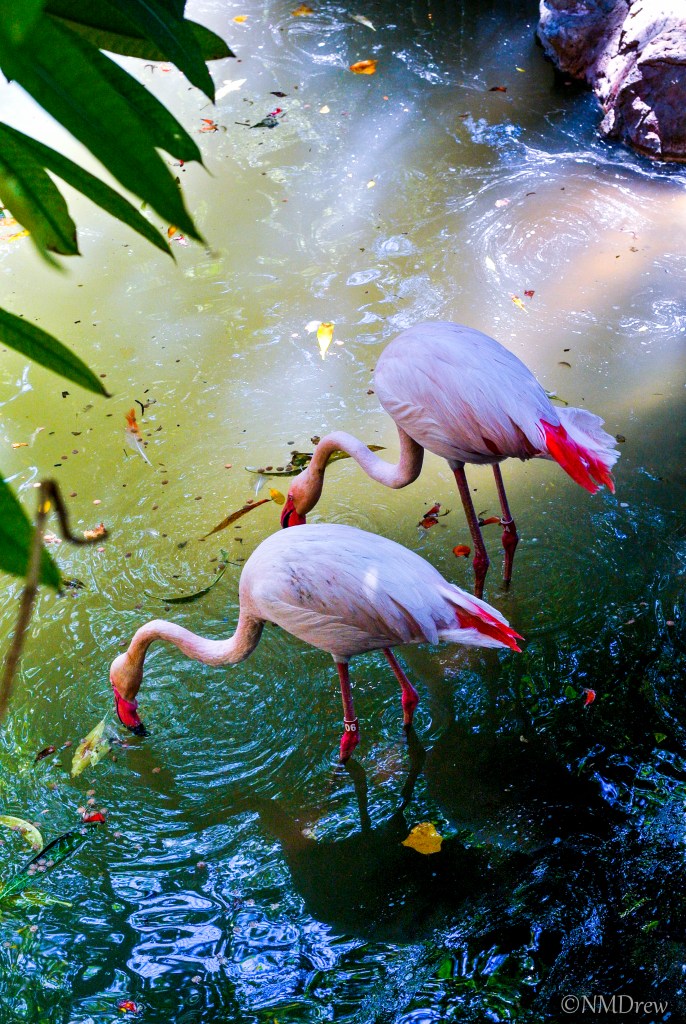
This is from a trip to the zoo! I love flamingos, but you have to admit, they are pretty messy birds. They live in large flocks, on muddy ground, and filter for food in muddy water. Additionally, they moult, leaves fall into the water, and the whole place can become rather rank.

Flamingo Pond Original (1 of 1)

Taking a picture of flamingos can be a bit of a challenge, but here the challenge was the messy pond. Above, you will find the original picture. And below, you will see the pond all shiny and clean, and cropped a bit. Click on any one of the three pictures below to play the slide show.

I used OnOne Photo Suite 9 to clean up the pond, add a texture layer, and finally a sun flare to modify or hide a rather rough patch where the big leaves on the lower left side were removed. Some final finishing in LR 5.7.

I Needed a Change!

I have just written about how I am disgusted by becoming obsessed with photography.  What that means is that I don’t like getting so focused on one thing that everything else I like to do takes second, third, or some place down the road.  Life then becomes – for me – rather dull and quite uninteresting.  And way too focused.  It becomes a trap.

I don’t like thinking of only one thing at a time.  I like being in different areas of interest in my head, and in my daily life.  It keeps everything in balance.  Creativity is an energy which can become quite wonky if not properly directed.  It becomes a chore, and downright unpleasant when decisions are not being able to be made.  Stagnation then sets in.  And frustration.  And so on.

To break this up, this is what I have been doing these last few days:

Other Things to Do (5 of 11) Other Things to Do (3 of 11)Other Things to Do (10 of 11)

Other Things to Do (9 of 11)Other Things to Do (7 of 11)

Masking a Photo

Soldier in Autumn (17 of 21)

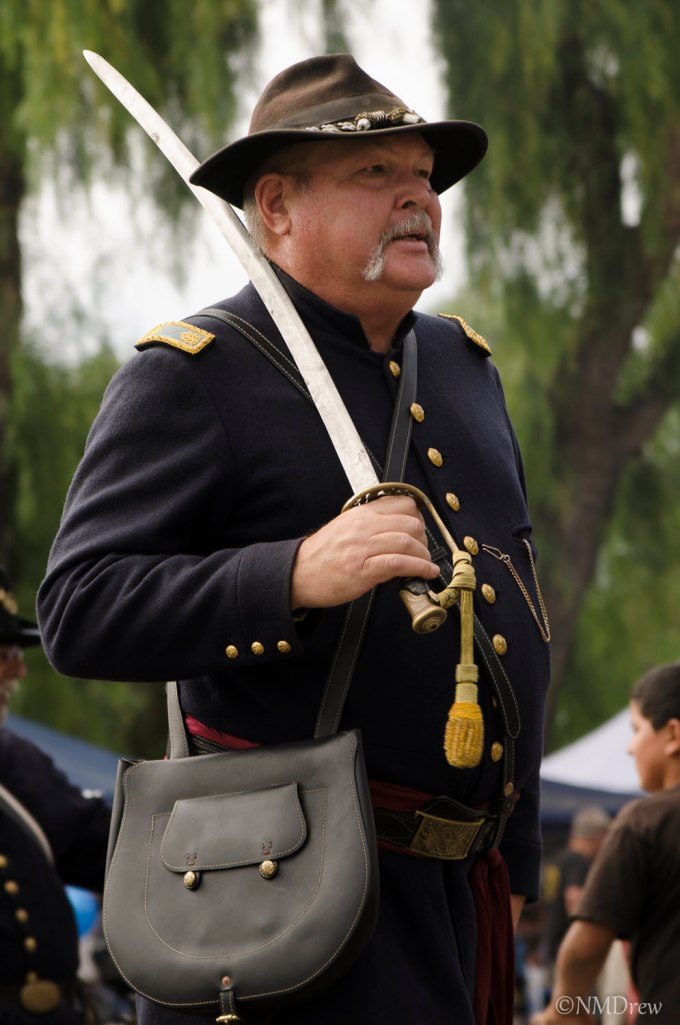
This is the original picture I took of a Civil War Re-enactment soldier. I decided to use this picture because it was complicated enough to require my working on it awhile. I also found a great background for him in some of the “extras” provided in Perfect Photo Suite 9.

I’ve tried remasking on a number of occasions, using different photos with different backgrounds, many with disastrous results. Here, I was reasonably happy, but there are still many flaws if you decide to pixel peep. I don’t really know the key to “great” masking – probably a combination of patience and a picture that is not too complicated along the edges. One thing I have learned is the importance of saving the image as you move along, not writing over the work, but naming it progressively in steps – like Soldier 1, Soldier 2, and so on. I made about 10 versions of this guy, working from large areas, saving more frequently when I came to small, fine areas. I also amputated part of a sleeve and a big chunk of his messenger bag at one point, so this really saved me. I also put a copy of the original under my other layers to reclaim really badly masked areas.

Here, you can see a cycle of my saves during the masking process – click on a picture to begin flipping through them.

One of the problems I had was the lighting. The soldier is backlit, and the scene itself has more even lighting, nothing really strong. To compensate, I darkened the right side of the picture with gradients and filters; some worked, some did not. I did other things, too. Below are my final results.

There was a lot of work involved here, and I am really glad I took the time to do it. Doing something is the best way to learn. Saving these masks in steps is also a good way to put things away when you are tired, as well as to save your tusche when things go wrong.

The Perfect Photo Suite is working out nicely for most of my stuff. Panoramas, too my knowledge, are not easily done in the software, so I use Photoshop for that.

Let me know what you think!

A Quick Thought

To my disgust, I am getting rather obsessed with photography, and trying to take mine to a higher level.  This higher level means better composition, more forethought before shooting (though it may not be possible at times), and better understanding of the post-processing program(s) I use.

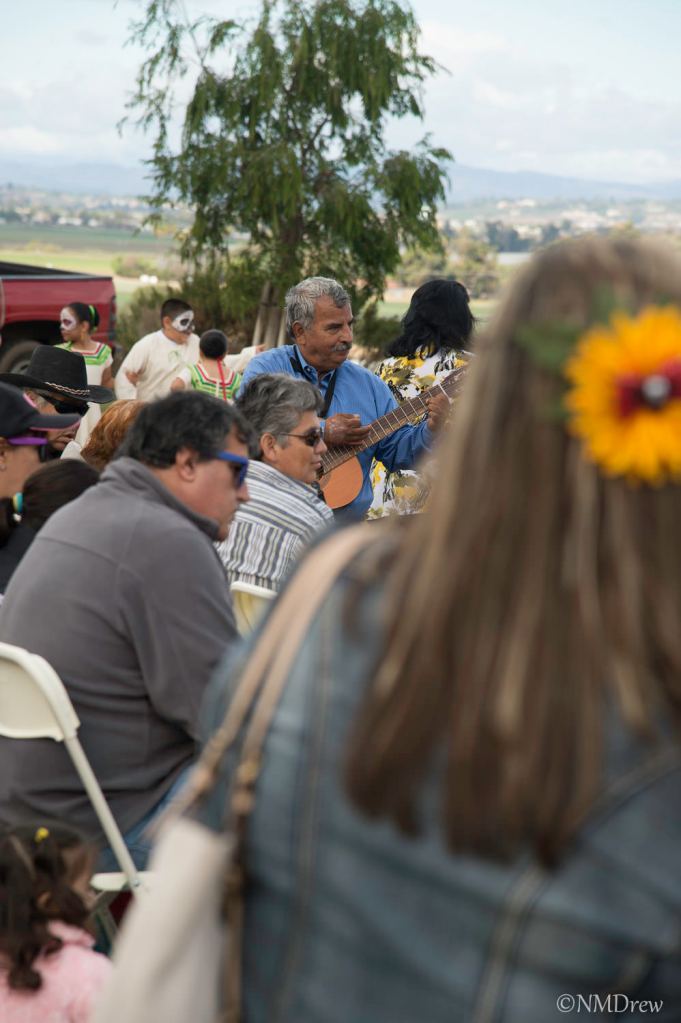
Below is the original image of a guitarist in a crowd of people.

Singer for the Dead  - Original

The composition isn’t great, but I needed the entire length of my lens – the Nikon 24-120mm f4 – on my Df. The focal point is the guitarist. As you can see, there are a few people between me and him. While taking this picture, and many others at the Day of the Dead, I thought about composition, and layers – foreground, midground, background – while I shot. During the crops, I thought of the same, and tried, too, to incorporate leading lines and/or the rule of thirds. Post-processing included colors, black and white, and vignetting. I used Nik Silver Efex, LR, and Perfect Photo Suite 9, along with different crops.

Singer for the Dead BW

Singer for the Dead

El Dia de los Muertos 2014 (87 of 421)


Day of the Dead

The Day of the Dead, or Dia de los Muertos, is a Mexican tradition from the more southerly parts of the country.  Such days are celebrated in various forms throughout the world.  As populations migrate, so do their holidays, and this holiday is much better than Halloween!

Yesterday, there was Dia de los Muertos in a local cemetery.  There were altars for lost ones, with photos and memorabilia and objects they liked; remembrances, some poignant, some funny; there were marigolds everywhere; and there were booths, dancing, cultural events and more.

The cemetery itself is new; there are no fancy headstones and rusting gates.  Tucked against a mountain with vistas of the plain below, it is a rather pleasant place to come.  Ranchland  spreads out to the city and hills beyond.  Last night’s remaining rain clouds filled the sky.  Altogether, it was a beautiful day, for the living or the dead.

A View from the Cemetery

A couple of friends and I got to the cemetery around 11 in the morning. It wasn’t crowded, but still had enough people to make it busy. For me, the most interesting subjects to photograph were the people, especially the kids.  Click on a picture below to start a slide show.